How to set up a camera for live streaming?
Using a mirrorless camera as a webcam for live streaming gives you dramatically better image quality than any USB webcam — shallow depth of field, accurate colors, and professional-grade low-light performance. Here is how to set it up.
What you need
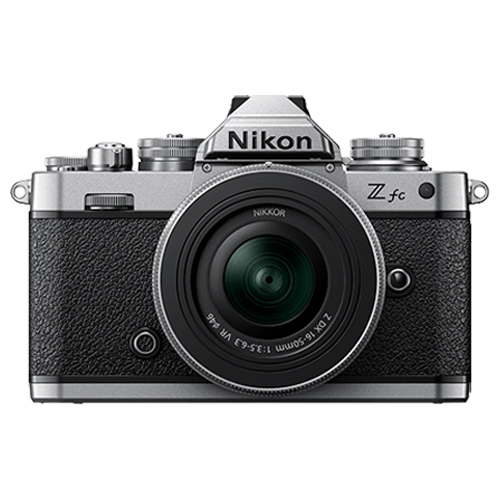
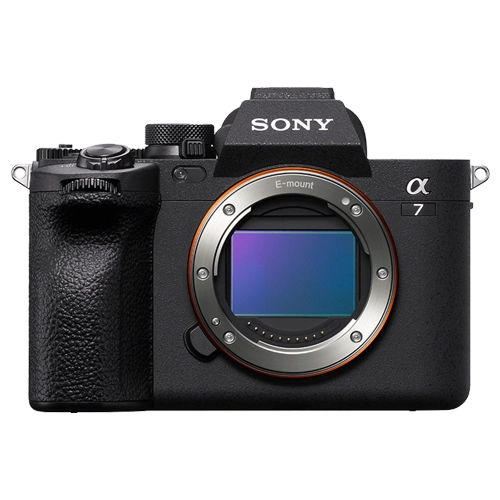
Camera: Any mirrorless camera with clean HDMI output or USB webcam mode. Most modern Canon, Sony, and Nikon cameras support one or both.
Capture card (if using HDMI): An Elgato Cam Link or similar USB capture card takes the HDMI output from your camera and converts it to a webcam input for your computer.
USB webcam mode (if available): Canon, Sony, and Nikon all offer free software that turns the camera into a USB webcam directly — no capture card needed. Canon EOS Webcam Utility, Sony Imaging Edge Webcam, Nikon Webcam Utility.
Continuous power: A dummy battery with AC adapter replaces the camera battery and provides unlimited power from a wall outlet. Essential for multi-hour streams.
Camera settings for streaming
Manual exposure: Lock your aperture, shutter speed, and ISO so the image does not fluctuate during the stream. Auto exposure shifts are distracting in live video.
Shutter speed: 1/60s for 30fps streaming. Lock it.
Aperture: f/2.8 to f/4 for subtle background blur without losing focus on your face.
White balance: Set to a fixed Kelvin value matching your room lighting. Never use auto white balance for streaming.
Picture profile: Standard or S-Cinetone. No Log — live streams cannot be color graded in real-time.
Autofocus: Enable Face/Eye AF in continuous mode so the camera keeps you sharp as you move.
Streaming cameras at Camera Shop Egypt
Common streaming setup mistakes
No continuous power: A battery dies mid-stream. Always use a dummy battery with AC adapter.
Auto exposure enabled: The image brightens and darkens as you move or change background — looks amateur.
Camera overheating: Some cameras overheat during long streams via HDMI. Test your specific camera for at least 2 hours before going live.
Audio from camera mic: Never use the built-in camera microphone for streaming. Use a dedicated USB mic, XLR mic, or headset with a good microphone.
The Sony ZV-E10 and Canon EOS R50 are excellent budget streaming cameras — compact, great autofocus, and designed for content creation. Pair with a 50mm f/1.8 or 35mm f/1.8 for beautiful shallow depth of field.
Gear that does this
Available in Egypt and suited to what this guide covers.